 Artix
Artix
Repo is short for Repository. This is where we keep all of the game's files as the team works together on them. If you like super techy posts, hit the read more below for a techy post about the spooky things we just did in our repos... the Grim Repo. Also... we are aware of the Mage bug. Some things we were playing around with on the dev server somehow escaped to the live servers... should be fixed by the end of tomorrow.
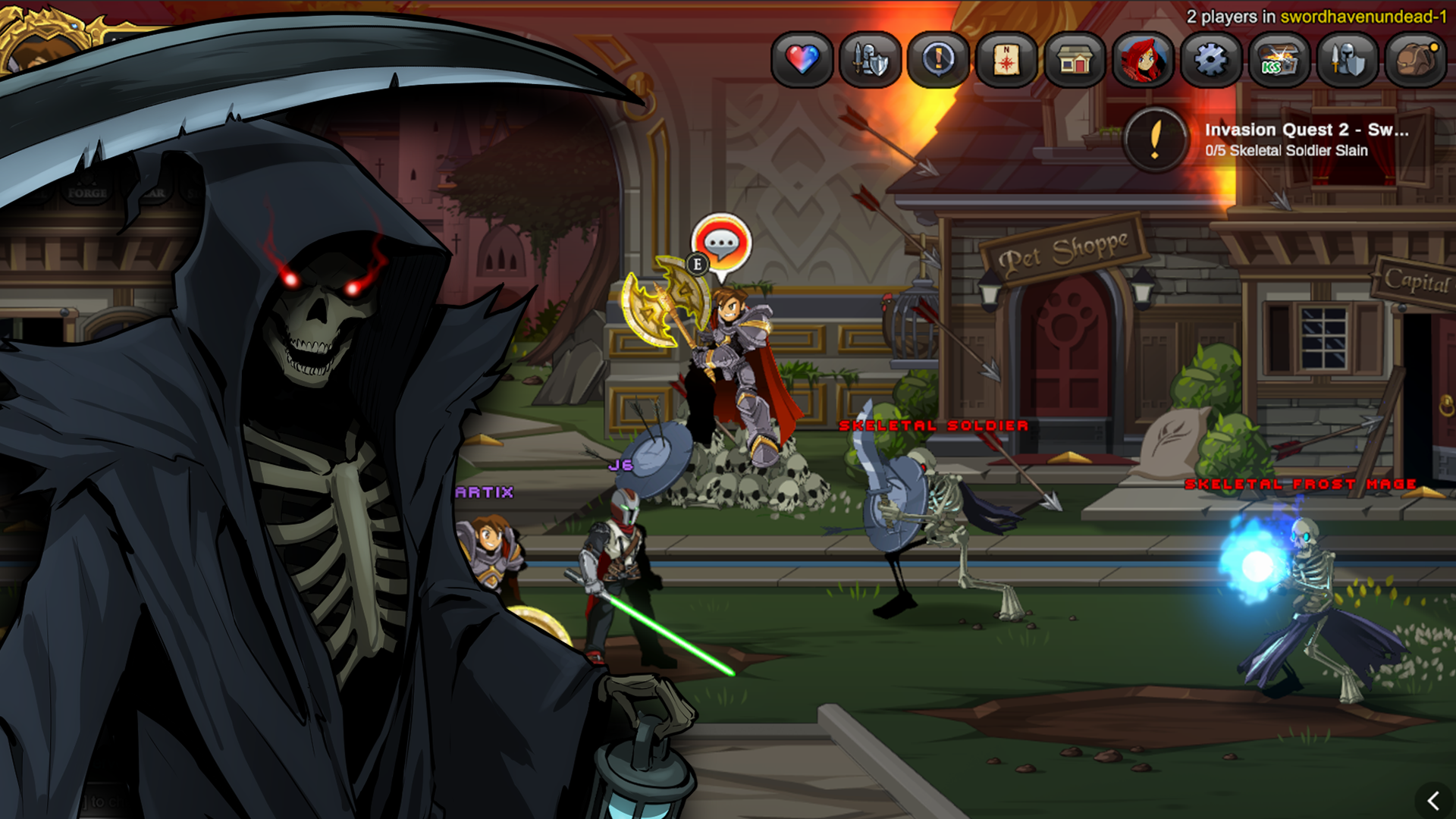
We use.... a lot of repos.
AdventureQuest Worlds: Infinity is a huge game. We already have 78,789 Asset Bundles... one for each weapon, monster, map, cutscene, armor, pet, cape, and any other unique item in the game so far. If you ever want to comically watch a computer explode... try opening the whole thing at once on a fresh install of Unity. **KAAAAABOOOOOOMEXPLOOODDDDYYYYY!!!** One team member once said it took 8 hours to just to open the weapons & items.
Repos & Sub Repos
To solve this problem, we broke the project up into repositories. Each of these repos holds a part of the project. Then... to the horror of many... we introduced sub-repos. It is actually not that scary. For example, we have a repository called "MAPS". Clearly, this was made to hold all the maps from the game. But we had to many maps.... so we started making sub-repos. For example, there are sub-repos for Greenguard, DoomWood, Skullholme, Houses, etc.
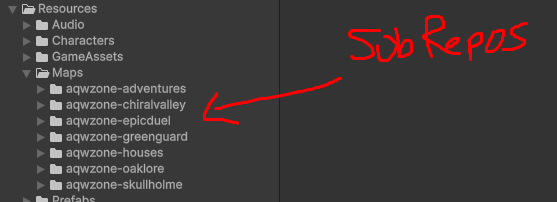
This way, if an AQWorlds Infinity Dev is working on DoomWood, they only need to grab that repo. This means ONLY the DoomWood files will actually be on their computer. This causes it to load fast and make it easier to work with. I could get into a lot more detail about this... but this should paint a clear enough picture of our work environment for the story that is coming next. O_o
...and I did warn you, this was going to be a pretty techy post. :D
Because during the launch of Alpha, we discovered a huuuuuuuuge looming future danger with the way we were storing things. It is one of those.... it is fine for now, but as we get bigger and add more people... it is a catastrophe waiting to happen. See, for an asset bundle to work, it has to be unique. No other asset bundle is allowed to have the same same. Remember how excited I was above to share that you could pull DoomWood without pulling any of the other files? Yup. That is the problem. A dev working in Doomwood would have no idea what the files were named in Swordhaven, or even in the Swords repo. So what happens when we make a whoopsie and make multiple things named... oh, how about "Artix-BonePile" (pictures below). It is very possible that someone could name this the same in both Doomwood and the Undead Invasion of Swordhaven. (Maybe this actually happened....) Warlic build this cloud builder which gathers up every asset bundle and converts them to special formats for PC, Mac, Android, and iOS. But... it just does the work in the order it is given. It has no idea if two asset bundles are the same. So it will simply convert them and stick them in the same place. Scary because this can lead to mysterious things happening. So... we came up with a pretty fool proof plan.
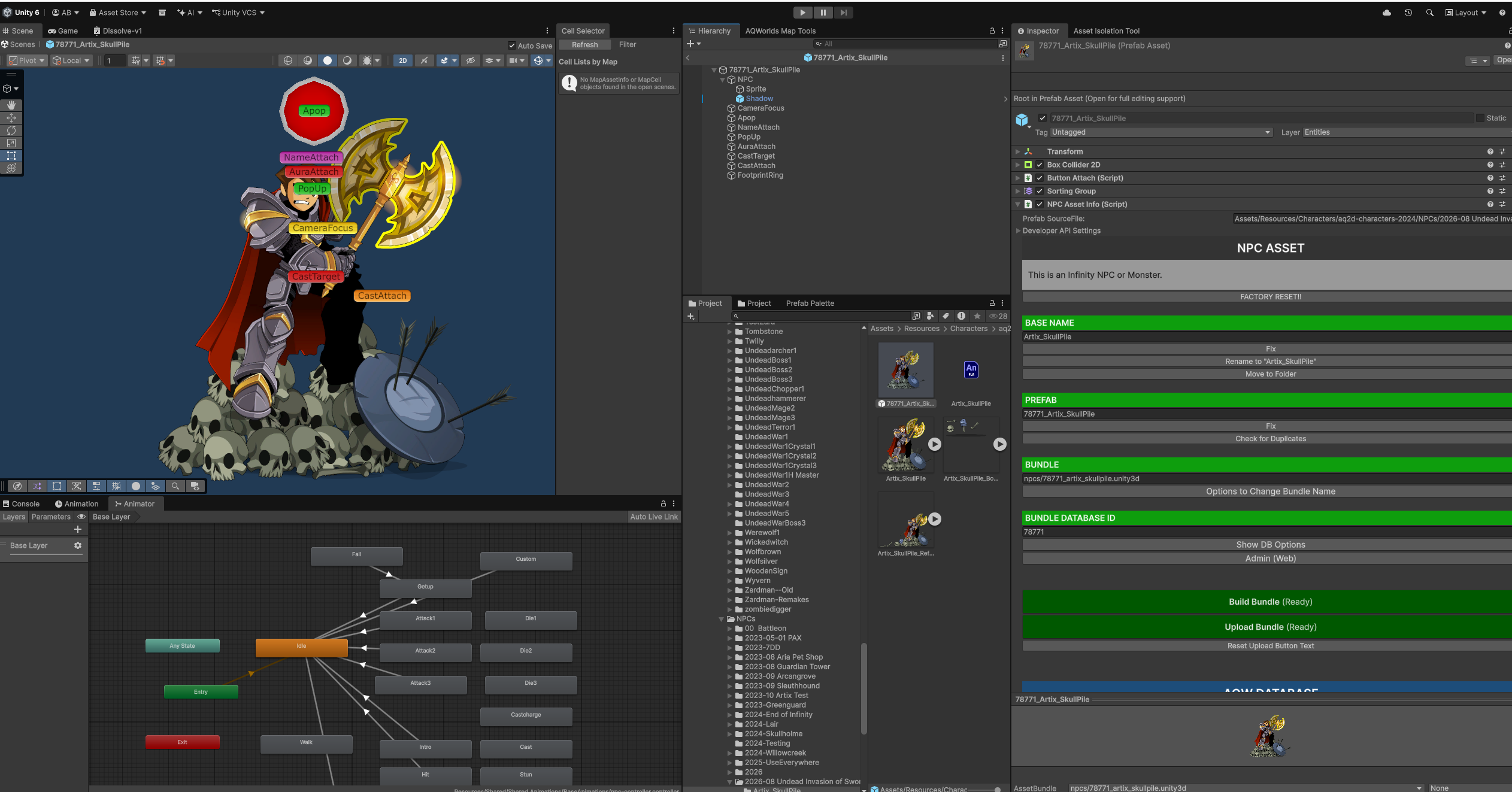
The answer... was to put a unique ID in front of every single asset bundle.
Warlic, Captain Rhubarb, PineOak, and I rolled up our sleeves and thought through the whole process of how we would actually accomplish this. Over the last few days, we did it. We did the whole dang thing. (I really should wait for more testing before boldly declaring it like that.) One of my specialties is Unity C# Editor Scripts. Any time you see those things with green headers on the right hand side of the screenshot above you will know it is something I worked on. (Project Omni uses them a lot too)
Adding the ID in front of each AssetBundle makes a lot of sense because we already have unique asset bundle IDs in the database. They are created automatically when we add one. But it does create a bit of a "cart before the horse problem." See, you create an asset bundle (For example: Artix-bonepile)... THEN you submit it to the database. This is when the ID gets created. So the server sends the asset bundle BACK to Unity... were my little editor script gets this new ID, renames the file using it (now it is named 78771_artix_skullpile) and updates the name.
If you have not fallen asleep yet... (you deserve a cookie) here is where we hit the really tricky part. See, creating new items like this is 100% great. But we already created a ton of items... and none of them are setup this way. Furthermore, it is possible to have multiple things put inside one of these asset bundles. For this reason, the asset bundle entry in our database normally does not actually know what is inside it. Instead, the actual monster, map, item, etc has a reference to the thing it needs from inside the asset bundle. Which means.... once we rename the file... we have to find ALL MATCHING monsters, maps, items, npcs and then tell the database to fix their references. So Warlic, Captain Rhubarb, and I combined our powers to create this really neat editor script that lets us look up monsters and npcs in the AQW database and change them... without ever leaving Unity. #Amazing
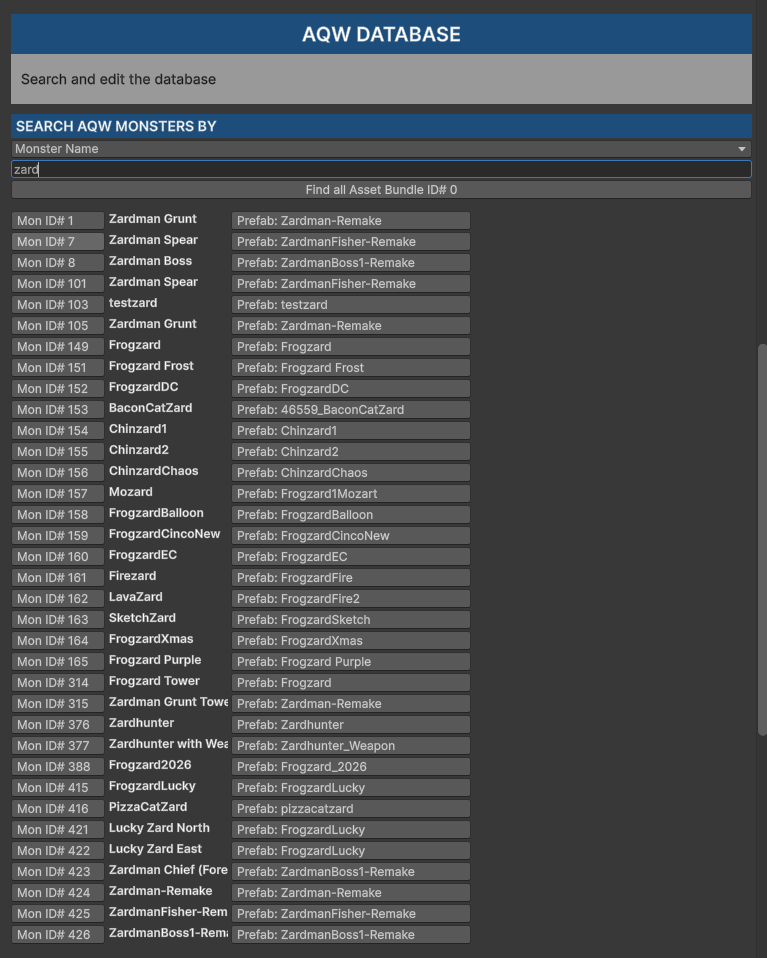
This tool also makes it possible to search by Monster Name, ID, or the AssetBundle ID and then with one click find where that is in the Unity Project.
This this reason, the AssetBundle IDs have become a super valuable way of keeping track of every single asset in the game. We edited the game client so our dev view mode will show this number everwhere. This means it easy to say something like... "Oh, Princess Brittany is Bundle ID 78767?" Great... I know exactly where in the Repos to find that so I can edit her.
Years from now, new developers working on the game (maybe you?) will hopefully never know how terrible it would have been to work on this project without this system in place. :D
Finally....
I had been dreading doing this change for so long. The way were were doing it before was not terrible. But it was very hard to find things and the inconsistancies of the asset names vs the actual monster/npc/map names was a pretty big problem that was only going to get worse. Once we started working on the solution, the solution just kept getting easier and easier to implement. Warlic automated all of the imported weapons, armors, and items... they are 100% done. Now, the team and I plan on going through all the manually created monsters and npcs to update them. Here is a bug to look out for. If we update a monster, but forget to update its reference (linkage/prefab)... it will show as a blue flame in game. So if you see one of those, be sure to let us know. Tomorrow we will do an emergency cloud build and restart the servers to test the first batch on live. Also, we need to fix that mage bug.
Battle on!
Artix